This article shows you how to use the new Java 11 HttpClient APIs to send HTTP GET/POST requests, and some frequent used examples.
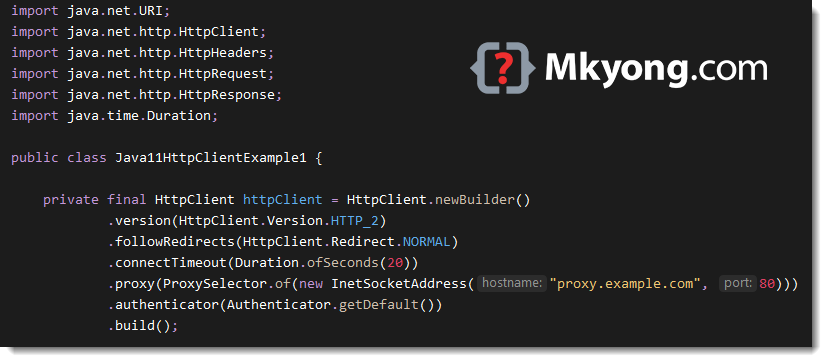
  HttpClient httpClient = HttpClient.newBuilder()
        .version(HttpClient.Version.HTTP_2)
        .followRedirects(HttpClient.Redirect.NORMAL)
        .connectTimeout(Duration.ofSeconds(20))
        .proxy(ProxySelector.of(new InetSocketAddress("proxy.yourcompany.com", 80)))
        .authenticator(Authenticator.getDefault())
        .build();
1. Synchronous Example
This example sends a GET request to https://httpbin.org/get, and print out the response header, status code, and body.
package com.mkyong.java11.jep321;

import java.io.IOException;
import java.net.URI;
import java.net.http.HttpClient;
import java.net.http.HttpHeaders;
import java.net.http.HttpRequest;
import java.net.http.HttpResponse;
import java.time.Duration;

public class HttpClientSynchronous {

    private static final HttpClient httpClient = HttpClient.newBuilder()
            .version(HttpClient.Version.HTTP_1_1)
            .connectTimeout(Duration.ofSeconds(10))
            .build();

    public static void main(String[] args) throws IOException, InterruptedException {

        HttpRequest request = HttpRequest.newBuilder()
                .GET()
                .uri(URI.create("https://httpbin.org/get"))
                .setHeader("User-Agent", "Java 11 HttpClient Bot") // add request header
                .build();

        HttpResponse<String> response = httpClient.send(request, HttpResponse.BodyHandlers.ofString());

        // print response headers
        HttpHeaders headers = response.headers();
        headers.map().forEach((k, v) -> System.out.println(k + ":" + v));

        // print status code
        System.out.println(response.statusCode());

        // print response body
        System.out.println(response.body());

    }

}
Output
access-control-allow-credentials:[true]
access-control-allow-origin:[*]
connection:[keep-alive]
content-length:[273]
content-type:[application/json]
date:[Sun, 17 May 2020 08:43:18 GMT]
server:[gunicorn/19.9.0]
200
{
  "args": {},
  "headers": {
    "Content-Length": "0",
    "Host": "httpbin.org",
    "User-Agent": "Java 11 HttpClient Bot",
    "X-Amzn-Trace-Id": "Root=1-5ec0f926-5ae58869cfe7162b7c3147fb"
  },
  "origin": "124.82.107.103",
  "url": "https://httpbin.org/get"
}
2. Asynchronous Example
2.1 HttpClient.sendAsync() to send a GET request asynchronous, it will return a CompletableFuture
package com.mkyong.java11.jep321;

import java.net.URI;
import java.net.http.HttpClient;
import java.net.http.HttpRequest;
import java.net.http.HttpResponse;
import java.util.concurrent.CompletableFuture;
import java.util.concurrent.TimeUnit;
import java.time.Duration;

public class HttpClientAsynchronous {

    private static final HttpClient httpClient = HttpClient.newBuilder()
            .version(HttpClient.Version.HTTP_2)
            .connectTimeout(Duration.ofSeconds(10))
            .build();

    public static void main(String[] args) throws Exception {

        HttpRequest request = HttpRequest.newBuilder()
                .GET()
                .uri(URI.create("https://httpbin.org/get"))
                .setHeader("User-Agent", "Java 11 HttpClient Bot")
                .build();

        CompletableFuture<HttpResponse<String>> response =
                httpClient.sendAsync(request, HttpResponse.BodyHandlers.ofString());

        String result = response.thenApply(HttpResponse::body).get(5, TimeUnit.SECONDS);

        System.out.println(result);

    }

}
Output
{
  "args": {},
  "headers": {
    "Host": "httpbin.org",
    "User-Agent": "Java 11 HttpClient Bot",
    "X-Amzn-Trace-Id": "Root=1-5ec0fb51-2c5dcf98167c6418bd555548"
  },
  "origin": "124.82.107.103",
  "url": "https://httpbin.org/get"
}
3. Custom Executor + Concurrent Requests
3.1 Add a custom executor.
	private final ExecutorService executorService = Executors.newFixedThreadPool(5);

  private final HttpClient httpClient = HttpClient.newBuilder()
          .executor(executorService)
          .build();
3.2 Send multiple concurrent requests asynchronously.
package com.mkyong.java11.jep321;

import java.net.URI;
import java.net.http.HttpClient;
import java.net.http.HttpRequest;
import java.net.http.HttpResponse;
import java.util.Arrays;
import java.util.List;
import java.util.concurrent.CompletableFuture;
import java.util.concurrent.ExecutorService;
import java.util.concurrent.Executors;
import java.util.stream.Collectors;
import java.time.Duration;

public class HttpClientCustomExecutor {

    // custom executor
    private static final ExecutorService executorService = Executors.newFixedThreadPool(5);

    private static final HttpClient httpClient = HttpClient.newBuilder()
            .executor(executorService)
            .version(HttpClient.Version.HTTP_2)
            .connectTimeout(Duration.ofSeconds(10))
            .build();

    public static void main(String[] args) throws Exception {

        List<URI> targets = Arrays.asList(
                new URI("https://httpbin.org/get?name=mkyong1"),
                new URI("https://httpbin.org/get?name=mkyong2"),
                new URI("https://httpbin.org/get?name=mkyong3"));

        List<CompletableFuture<String>> result = targets.stream()
                .map(url -> httpClient.sendAsync(
                        HttpRequest.newBuilder(url)
                                .GET()
                                .setHeader("User-Agent", "Java 11 HttpClient Bot")
                                .build(),
                        HttpResponse.BodyHandlers.ofString())
                        .thenApply(response -> response.body()))
                .collect(Collectors.toList());

        for (CompletableFuture<String> future : result) {
            System.out.println(future.get());
        }

    }

}
Output
{
"args": {
  "name": "mkyong1"
},
"headers": {
  "Host": "httpbin.org",
  "User-Agent": "Java 11 HttpClient Bot",
  "X-Amzn-Trace-Id": "Root=1-5ec0fd5e-845e2a5889736f9c5bd38a38"
},
"origin": "124.82.107.103",
"url": "https://httpbin.org/get?name=mkyong1"
}

{
"args": {
  "name": "mkyong2"
},
"headers": {
  "Host": "httpbin.org",
  "User-Agent": "Java 11 HttpClient Bot",
  "X-Amzn-Trace-Id": "Root=1-5ec0fd5e-d365205a75254575c9705ca0"
},
"origin": "124.82.107.103",
"url": "https://httpbin.org/get?name=mkyong2"
}

{
"args": {
  "name": "mkyong3"
},
"headers": {
  "Host": "httpbin.org",
  "User-Agent": "Java 11 HttpClient Bot",
  "X-Amzn-Trace-Id": "Root=1-5ec0fd5e-cd61de10889128921dad6008"
},
"origin": "124.82.107.103",
"url": "https://httpbin.org/get?name=mkyong3"
}
4. POST Form Parameters
4.1 Java 11 HttpClient didn’t provide API for the form data, we have to construct it manually.
package com.mkyong.java11.jep321;

import java.io.IOException;
import java.net.URI;
import java.net.URLEncoder;
import java.net.http.HttpClient;
import java.net.http.HttpRequest;
import java.net.http.HttpResponse;
import java.nio.charset.StandardCharsets;
import java.time.Duration;
import java.util.HashMap;
import java.util.Map;

public class HttpClientPostForm {

    private static final HttpClient httpClient = HttpClient.newBuilder()
            .version(HttpClient.Version.HTTP_2)
            .connectTimeout(Duration.ofSeconds(10))
            .build();

    public static void main(String[] args) throws IOException, InterruptedException {

        // form parameters
        Map<Object, Object> data = new HashMap<>();
        data.put("username", "abc");
        data.put("password", "123");
        data.put("custom", "secret");
        data.put("ts", System.currentTimeMillis());

        HttpRequest request = HttpRequest.newBuilder()
                .POST(ofFormData(data))
                .uri(URI.create("https://httpbin.org/post"))
                .setHeader("User-Agent", "Java 11 HttpClient Bot") // add request header
                .header("Content-Type", "application/x-www-form-urlencoded")
                .build();

        HttpResponse<String> response = httpClient.send(request, HttpResponse.BodyHandlers.ofString());

        // print status code
        System.out.println(response.statusCode());

        // print response body
        System.out.println(response.body());

    }

    // Sample: 'password=123&custom=secret&username=abc&ts=1570704369823'
    public static HttpRequest.BodyPublisher ofFormData(Map<Object, Object> data) {
        var builder = new StringBuilder();
        for (Map.Entry<Object, Object> entry : data.entrySet()) {
            if (builder.length() > 0) {
                builder.append("&");
            }
            builder.append(URLEncoder.encode(entry.getKey().toString(), StandardCharsets.UTF_8));
            builder.append("=");
            builder.append(URLEncoder.encode(entry.getValue().toString(), StandardCharsets.UTF_8));
        }
        return HttpRequest.BodyPublishers.ofString(builder.toString());
    }

}
Output
200
{
"args": {},
"data": "",
"files": {},
"form": {
  "custom": "secret",
  "password": "123",
  "ts": "1589706608386",
  "username": "abc"
},
"headers": {
  "Content-Length": "56",
  "Content-Type": "application/x-www-form-urlencoded",
  "Host": "httpbin.org",
  "User-Agent": "Java 11 HttpClient Bot",
  "X-Amzn-Trace-Id": "Root=1-5ec0ff71-9f0cc3e2bc88b1c0c9c66a43"
},
"json": null,
"origin": "124.82.107.103",
"url": "https://httpbin.org/post"
}
5. POST JSON
package com.mkyong.java11.jep321;

import java.io.IOException;
import java.net.URI;
import java.net.http.HttpClient;
import java.net.http.HttpRequest;
import java.net.http.HttpResponse;
import java.time.Duration;

public class HttpClientPostJSON {

    private static final HttpClient httpClient = HttpClient.newBuilder()
            .version(HttpClient.Version.HTTP_2)
            .connectTimeout(Duration.ofSeconds(10))
            .build();

    public static void main(String[] args) throws IOException, InterruptedException {

        // json formatted data
        String json = new StringBuilder()
                .append("{")
                .append("\"name\":\"mkyong\",")
                .append("\"notes\":\"hello\"")
                .append("}").toString();

        // add json header
        HttpRequest request = HttpRequest.newBuilder()
                .POST(HttpRequest.BodyPublishers.ofString(json))
                .uri(URI.create("https://httpbin.org/post"))
                .setHeader("User-Agent", "Java 11 HttpClient Bot") // add request header
                .header("Content-Type", "application/json")
                .build();

        HttpResponse<String> response = httpClient.send(request, HttpResponse.BodyHandlers.ofString());

        // print status code
        System.out.println(response.statusCode());

        // print response body
        System.out.println(response.body());

    }

}
Output
200
{
"args": {},
"data": "{\"name\":\"mkyong\",\"notes\":\"hello\"}",
"files": {},
"form": {},
"headers": {
  "Content-Length": "33",
  "Content-Type": "application/json",
  "Host": "httpbin.org",
  "User-Agent": "Java 11 HttpClient Bot",
  "X-Amzn-Trace-Id": "Root=1-5ec0fff9-3f6613c39c502fa5e1b79afa"
},
"json": {
  "name": "mkyong",
  "notes": "hello"
},
"origin": "124.82.107.103",
"url": "https://httpbin.org/post"
}
6. Authentication
6.1 Start a simple Spring Security WebApp provides HTTP basic authentication, and test it with the new Java 11 HttpClient APIs
package com.mkyong.java11.jep321;

import java.io.IOException;
import java.net.Authenticator;
import java.net.PasswordAuthentication;
import java.net.URI;
import java.net.http.HttpClient;
import java.net.http.HttpRequest;
import java.net.http.HttpResponse;
import java.time.Duration;

// start this https://mkyong.com/spring-boot/spring-rest-spring-security-example/
public class HttpClientAuthentication {

    private static final HttpClient httpClient = HttpClient.newBuilder()
            .authenticator(new Authenticator() {
                @Override
                protected PasswordAuthentication getPasswordAuthentication() {
                    return new PasswordAuthentication(
                            "user",
                            "password".toCharArray());
                }

            })
            .connectTimeout(Duration.ofSeconds(10))
            .build();

    public static void main(String[] args) throws IOException, InterruptedException {

        HttpRequest request = HttpRequest.newBuilder()
                .GET()
                .uri(URI.create("http://localhost:8080/books"))
                .setHeader("User-Agent", "Java 11 HttpClient Bot") // add request header
                .build();

        HttpResponse<String> response = httpClient.send(request, HttpResponse.BodyHandlers.ofString());

        // print status code
        System.out.println(response.statusCode());

        // print response body
        System.out.println(response.body());

    }

}
7. FAQs
7.1 Disabled Redirect.
	private final HttpClient httpClient = HttpClient.newBuilder()
            .followRedirects(HttpClient.Redirect.NEVER)
            .build();
Read this HttpClient.Redirect JavaDoc
7.2 Timeout, 5 seconds.
	private final HttpClient httpClient = HttpClient.newBuilder()
            .connectTimeout(Duration.ofSeconds(5))
            .build();
7.3 Set a Proxy.
	private final HttpClient httpClient = HttpClient.newBuilder()
            .proxy(ProxySelector.of(new InetSocketAddress("your-company-proxy.com", 8080)))
            .build();

Is it fully safe (memory, locks, …) to use HttpClient as a class variable ?
how to add interceptor to this httpClient
Thank you for all of these excellent examples. A great starting point for learning the API of the new Java 11 HttpClient.
can you provide the mockito implementation to mock HttpClient.newBuilder()
Any multipart example with body parameters?
For the “3. Custom Executor + Concurrent Requests”, the main thread won’t exit automatically.
An additional “executorService.shutdownNow()” is required in order terminate the whole process.
Thank you very much for your help and your tutorials. You do amazing job!
I have the same http request URL, but I want to use a different json POST for each. Can you do a stream of the jsons or do the http requests have to know the body at instantiation?
Do u have any example of uploading file with text messages, I mean a multipart/form data with file upload and other params.
https://gitlab.com/-/snippets/2001189
Can you please share an example how send Windows/NTLM authentication request using Java11 HTTP Client?
With request.headers() you get the user added headers.
But how do you intercept the cookies automatically added by CookieManager if you apecify that?
		CookieManager cm = new CookieManager();
		CookieHandler.setDefault(cm);

		HttpClient client = HttpClient.newBuilder().build();

       //..........

      System.out.println("Req headers " + request.headers().toString());        //will show only user added headers (and cookies)
This will automatically add the cookies received from the server and send them in a second request to the same domain.
But how how to check what cookies actually are sent?
Thank you.
You’ve missed to mention that e.g. https://golb.hplar.ch/2019/01/java-11-http-client.html is the source of your used ofFormData function, aren’t you?
First – Thank you for this absolutely useful example.
Do you know a nice way to ‘intercept’ calls and add a Bearer Authentication header?
I know I can add headers while creating the HttpRequest Object but that seems kinda ugly to me.
I tried to implement my own Authenticator but that didn’t work as I thought it would.
If you have any idea it would be nice if you could share it.
I don’t see any close methods on the client or the request. do we need to close these or not? thanks
apparently you dont need to, java should take care of it itsself, feels a bit dodgy but there is no way to close it manually
Hello
It’s possible send multiple post concurrent requests asynchronously.
Thanks
Hello.
I can’t find ready solution for HttpResponse.BodyHandlers.ofString() with receiving length limitation.
It is really needed if it is required to get only first part of very big data.
Hello
if i have a list of different Url and do Post with json as body.
what is best approach using a sync or concurrently
that