What is SashForm?
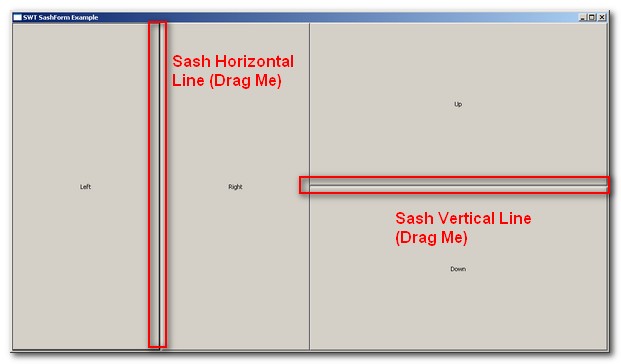
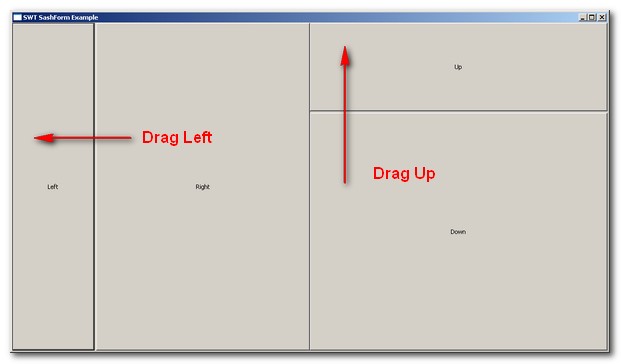
In SWT, SashForm is similar with Group, however it added one more useful feature, it’s allow user to adjust the control size at runtime environment. The SashForm provide this feature by creating a movable line between child widget (button, label, text…). When user drag the “line” it will expand one widget size and reduce the others.
SashForm widget support two styles.
1) SWT.SWT.HORIZONTAL
2) SWT.VERTICAL
How to create a SashForm widget?
Here i will demonstrate how to create four buttons widget and link it to SashForm in HORIZONTAL and VERTICAL style.
import org.eclipse.swt.SWT;
import org.eclipse.swt.custom.SashForm;
import org.eclipse.swt.layout.FillLayout;
import org.eclipse.swt.widgets.Button;
import org.eclipse.swt.widgets.Display;
import org.eclipse.swt.widgets.Shell;

public class SWTSashForm
{
	public static void main (String [] args) {
		Display display = new Display ();
		Shell shell = new Shell(display);
		shell.setText("SWT SashForm Example");

		shell.setLayout(new FillLayout());

	    // Create the SashForm with HORIZONTAL
	    SashForm sashForm = new SashForm(shell, SWT.HORIZONTAL);
	    new Button(sashForm, SWT.PUSH).setText("Left");
	    new Button(sashForm, SWT.PUSH).setText("Right");

	    // Create the SashForm with VERTICAL
	    SashForm sashForm2 = new SashForm(shell, SWT.VERTICAL);
	    new Button(sashForm2, SWT.PUSH).setText("Up");
	    new Button(sashForm2, SWT.PUSH).setText("Down");

		shell.open();

		while (!shell.isDisposed ()) {
			if (!display.readAndDispatch ()) display.sleep ();
		}
		display.dispose ();
	}

}

That is what i was looking for! Thank you very much
Thank you so much. Now I know how to use SashForms.
Quite inspiring,
know i know what sashForm is
Thanks for bringing this up