This article shows how to use regex to validate a password in Java.
Secure Password requirements
- Password must contain at least one digit [0-9].
- Password must contain at least one lowercase Latin character [a-z].
- Password must contain at least one uppercase Latin character [A-Z].
- Password must contain at least one special character like
! @ # & ( ). - Password must contain a length of at least 8 characters and a maximum of 20 characters.
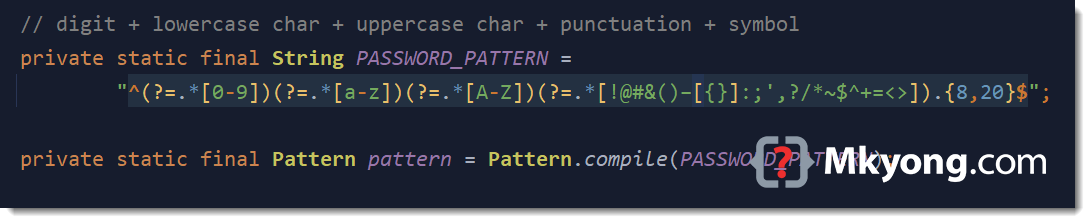
Below is the regex that matches all the above requirements.
^(?=.*[0-9])(?=.*[a-z])(?=.*[A-Z])(?=.*[!@#&()–[{}]:;',?/*~$^+=<>]).{8,20}$
1. Regex password explanation
The password must contain at least one lowercase character, one uppercase character, one digit, one special character, and a length between 8 to 20. The below regex uses positive lookahead for the conditional checking.
^                                   # start of line
  (?=.*[0-9])                       # positive lookahead, digit [0-9]
  (?=.*[a-z])                       # positive lookahead, one lowercase character [a-z]
  (?=.*[A-Z])                       # positive lookahead, one uppercase character [A-Z]
  (?=.*[!@#&()–[{}]:;',?/*~$^+=<>]) # positive lookahead, one of the special character in this [..]
  .                                 # matches anything
  {8,20}                            # length at least 8 characters and maximum of 20 characters
$                                   # end of line
In regex, there is positive lookahead (?=) and negative lookahead (?!):
- Positive lookahead
(?=)ensures somethingfollowed bysomething else. - Negative lookahead
(?!)ensures somethingNOT followed bysomething else.
For example, b(?=c) matches a b that is followed by a c. (positive lookahead)
For example, b(?!c) matches a b that is NOT followed by a c. (negative lookahead)
2. Regex to validate the password
Below is a Java regex example to validate a password.
package com.mkyong.regex.password;

import java.util.regex.Matcher;
import java.util.regex.Pattern;

public class PasswordValidator {

    // digit + lowercase char + uppercase char + punctuation + symbol
    private static final String PASSWORD_PATTERN =
            "^(?=.*[0-9])(?=.*[a-z])(?=.*[A-Z])(?=.*[!@#&()–[{}]:;',?/*~$^+=<>]).{8,20}$";

    private static final Pattern pattern = Pattern.compile(PASSWORD_PATTERN);

    public static boolean isValid(final String password) {
        Matcher matcher = pattern.matcher(password);
        return matcher.matches();
    }

}
3. Regex password unit tests
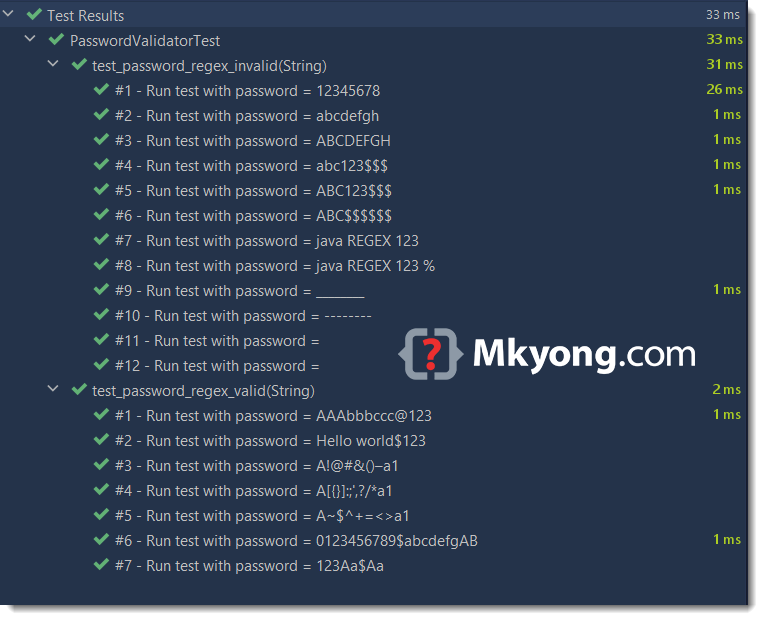
Here are the unit tests to test a list of valid and invalid passwords.
package com.mkyong.regex.password;

import org.junit.jupiter.params.ParameterizedTest;
import org.junit.jupiter.params.provider.MethodSource;

import java.util.stream.Stream;

import static org.junit.jupiter.api.Assertions.assertFalse;
import static org.junit.jupiter.api.Assertions.assertTrue;

public class PasswordValidatorTest {

    @ParameterizedTest(name = "#{index} - Run test with password = {0}")
    @MethodSource("validPasswordProvider")
    void test_password_regex_valid(String password) {
        assertTrue(PasswordValidator.isValid(password));
    }

    @ParameterizedTest(name = "#{index} - Run test with password = {0}")
    @MethodSource("invalidPasswordProvider")
    void test_password_regex_invalid(String password) {
        assertFalse(PasswordValidator.isValid(password));
    }

    static Stream<String> validPasswordProvider() {
        return Stream.of(
                "AAAbbbccc@123",
                "Hello world$123",
                "A!@#&()–a1",               // test punctuation part 1
                "A[{}]:;',?/*a1",           // test punctuation part 2
                "A~$^+=<>a1",               // test symbols
                "0123456789$abcdefgAB",     // test 20 chars
                "123Aa$Aa"                  // test 8 chars
        );
    }

    // At least
    // one lowercase character,
    // one uppercase character,
    // one digit,
    // one special character
    // and length between 8 to 20.
    static Stream<String> invalidPasswordProvider() {
        return Stream.of(
                "12345678",                 // invalid, only digit
                "abcdefgh",                 // invalid, only lowercase
                "ABCDEFGH",                 // invalid, only uppercase
                "abc123$$$",                // invalid, at least one uppercase
                "ABC123$$$",                // invalid, at least one lowercase
                "ABC$$$$$$",                // invalid, at least one digit
                "java REGEX 123",           // invalid, at least one special character
                "java REGEX 123 %",         // invalid, % is not in the special character group []
                "________",                 // invalid
                "--------",                 // invalid
                " ",                        // empty
                "");                        // empty
    }
}
All passed.
4. FAQs
Below are some commonly asked questions:
- Why longer password is more secured?
- Why must mix at least one special character?
Answer:
For Latin characters, lowercase and uppercase [a-zA-Z], it consists of 52 characters; for the digits [0-9], it consists of 10 characters, a total of 62 characters.
- If a password contains a length of 1, it consists of
62possibilities, [a-zA-Z0-9]. It means the worst case; we need to guess 62 times to find out the correct password. - For a length of 2, it is
62 x 62or62 ^ 2=3,844 - 62 ^ 3 =
238,328 - 62 ^ 4 =
14,776,336 - 62 ^ 5 =
916,132,832 - 62 ^ 6 =
56,800,235,584 - 62 ^ 7 =
3,521,614,606,208 - 62 ^ 8 =
218,340,105,584,896 - A longer password is more secured, because it makes attackers harder to guess the correct password. Get the idea?
If we included the special characters like punctuation ! @ # & ( ) – [ { } ] : ; ' , ? / * (18 characters) and symbols ~ $ ^ + = < > (7 characters), it will greatly increase difficulties of guesting the correct password. I’m not really sure how many special characters are there, let takes it as 25 characters (estimated).
For 62 alphanumeric characters + 25 special characters, it is a total of 87 characters.
- 87 ^ 1 =
87 - 87 ^ 2 =
7,569 - 87 ^ 3 =
658,503 - 87 ^ 4 =
57,289,761 - 87 ^ 5 =
4,984,209,207 - 87 ^ 6 =
433,626,201,009 - 87 ^ 7 =
37,725,479,487,783 - 87 ^ 8 =
3,282,116,715,437,121
Mixed with special characters will significantly increase the difficulties of guesting the correct password.
Password Hashing
Do not store the password as plaintext. It is a good practice to use slow hash like Argon2 to hash the password.
Strong Password Generator
Try this Java password generator example to generate a secure and robust password.
Download Source Code
$ git clone https://github.com/mkyong/core-java
$ cd java-regex/password

Thanks so much for this. Any help about how to modify your regex to check for a number OR symbol? I thought (?=.*[0-9]|[!@#$%] might work, but no luck. Also, as someone else mentioned, it seems to be accepting spaces. How can I make it fail if the user enters spaces? Thanks!
If you don’t want to accept space, add
(?!.*\\s)^(?!.*\\s)(?=.*[0-9])(?=.*[a-z])(?=.*[A-Z])(?=.*[!@#&()–[{}]:;',?/*~$^+=<>]).{8,20}$
Add (?!.*\\s) to disallow spaces in the password.
That’s good hack, thanks ~
Thank you, you saved me ALOT of time ?
This pattern has worked perfectly until it meets this password: 1234qwER[
Open square bracket [ should be accepted but it was not. To fix this issue, add \\ before square brackets, then it should be ^(?=.*[0-9])(?=.*[a-z])(?=.*[A-Z])(?=.*[!@#&()–\\[{}\\]:;’,?/*~$^+=<>]).{8,32}$
To allow backslash as well, add \\\\ to pattern above, then it is ^(?=.*[0-9])(?=.*[a-z])(?=.*[A-Z])(?=.*[!@#&()–\\\\\\[{}\\]:;’,?/*~$^+=<>]).{8,32}$
OMG even backslash in my comment was escaped :)). I pasted here the patterns I want to mentioned. Please check this one instead of above
^(?=.*[0-9])(?=.*[a-z])(?=.*[A-Z])(?=.*[!@#&()–\\[{}\\]:;',?/*~$^+=<>]).{8,32}$ \\Do not allow \ ^(?=.*[0-9])(?=.*[a-z])(?=.*[A-Z])(?=.*[!@#&()–\\\\\\[{}\\]:;',?/*~$^+=<>]).{8,32}$ \\Allow \Do not allow \\:
^(?=.*[0-9])(?=.*[a-z])(?=.*[A-Z])(?=.*[!@#&()–\\\\[{}\\\\]:;’,?/*~$^+=<>]).{8,32}$
Allow \\:
^(?=.*[0-9])(?=.*[a-z])(?=.*[A-Z])(?=.*[!@#&()–\\\\\\\\\\\\[{}\\\\]:;’,?/*~$^+=<>]).{8,32}$
This was driving me mad… you’ve included – in the special characters, but unless you double escape it and use a normal minus char ascii 2D ( \\- ) the last part of the expression is wrong…
Copying and pasting from the web add to the issue as the minus char is (depending on the browser and/or editor i suppose) converted into a dash…
If it’s converted into a dash (from ascii 0x2D to 0x96) the expression works but ofc it ignores the minus sign
If it’s not converted, the expression will work regardless of special characters present in the password as the minus portion is interpreted as “any character between ) and _”
Ah, the two square brackets [ ] must be escaped as well…
In java code the right expression to use (double escaping slashes) should be the string:
“^(?=.*[0-9])(?=.*[a-z])(?=.*[A-Z])(?=.*[!@#&()\\-_\\[{}\\]:;’,?/*~$^+=]).{8,20}$”
which is the regular expression:
^(?=.*[0-9])(?=.*[a-z])(?=.*[A-Z])(?=.*[!@#&()\-_\[{}\]:;’,?/*~$^+=]).{8,20}$
Hello. I took this regex:
^(?=.*[0-9])(?=.*[a-z])(?=.*[A-Z])(?=.*[@#&()–[{}]:;’,?/*~$^+=<>])(?=\\S+\$).{8,}$
(without this symbol ‘!’. It’s important) and this pasword: xF!D!234#FFERjdjd. And my regex returned me TRUE. But the ‘!’ symbol is not in my regex. What is wrong?
Very nice. Thx.
My android phone is locked,need 4 characters include 1 letter password,pls help me
It accepts mkyoNg123*% though. How to fix it?
It is a valid password, one uppercase, one lowercase, one digit, one symbol and meet the length {8.20}
5 years after, this post is always usefull (as the rest of you blog ;))
just another way here to say thanks again Mkyong to save our time ^^
Why in the world would anyone want to limit maximum password length?
As every one try to make password which is difficult to get read / understand / remember by other. If any user making very long and complicated password then, in future he/she also will not able to remember that. And if someone uses long password for Online Bank Transactions or any Online Reservation System then, may be he/she could try to insert password with all attempts. Due to which he could not get success in his transaction.
And Software Developer have to make system user friendly. Developers need to take care of network traffic also. It’s not good thing If number of users are making 3 to 4 request only for Login attempt with long password.
That’s why Password string should be short and difficult to read.
security is more important than an user making 3 to 4 requests and things like that. I have never seen a security expert recommending to limit the length of the password but I have read many times why you as a developer should never set an artificial limit on the password length.
I would think it is more so you can allocate dedicated space for a password array of min 8 and no more then 20 char. Regardless of the user ability to remember the password the memory space it would take for users to enter what ever they wanted would be inefficient. This way you can establish a clean uniform array of dedicate value.
This is only an issue if you are saving the password as plain text since a hash function will always have a fixed length string as a result.
This post helped me. Thanks.
Hey! Great example – I’d like to suggest a slight adaptation, however. While it is tempting to use a single regular expression for this, I think that there are good reasons to actually split up the regex into multiple checks. Performance is not usually a concern with password checking, so invoking a few more regex calls isn’t really a big deal, like so: http://ocpsoft.org/opensource/guide-to-regular-expressions-in-java-part-1/#comment-4097
Thanks for this! Saved me a lot of time. Much appreciated Mkyong!
Hi All,
What if password should not include easy-to-guess string such as “love”, “happy”, “12345678”, “qwerty”, “asdfgh”, “zxcvb”. How can regular expression validate such strings?
Regards,
Fernie
Not a job for regex, you need a table to store all the easy-to-guess passwords and validate one by one.