In Java, we can use the javax.imageio.ImageIO class to read and write an image.
1. Read an image
Read an image from a file.
BufferedImage image = ImageIO.read(new File("c:\\test\\image.png"));
Read an image from an URL.
BufferedImage image = ImageIO.read(new URL("https://example.com/image.png"));
2. Write or save an image
Write or save an image in different image formats.
  ImageIO.write(bufferedImage , "jpg", new File("c:\\test\\image.jpg"));

  ImageIO.write(bufferedImage , "gif", new File("c:\\test\\image.gif"));

  ImageIO.write(bufferedImage , "png", new File("c:\\test\\image.png"));
Below code snippet list out all the supported formats.
  String writerNames[] = ImageIO.getWriterFormatNames();
  Arrays.stream(writerNames).forEach(System.out::println);
Output
PG
jpg
tiff
bmp
BMP
gif
GIF
WBMP
png
PNG
JPEG
tif
TIF
TIFF
wbmp
jpeg
3. Read, resize and save an image.
A full Java example of using ImageIO to read an image from an URL (Google logo), resize it to 300x150 and save it into a file.
ReadWriteImage.java
package com.mkyong.io.image;

import javax.imageio.ImageIO;
import java.awt.*;
import java.awt.image.BufferedImage;
import java.io.File;
import java.io.IOException;
import java.net.MalformedURLException;
import java.net.URL;

public class ReadWriteImage {

    // Google logo url
    private static final String GOOGLE_LOGO =
            "https://www.google.com/images/branding/googlelogo/2x/googlelogo_color_272x92dp.png";

    public static void main(String[] args) {

        try {

            URL url = new URL(GOOGLE_LOGO);

            // read an image from url
            BufferedImage image = ImageIO.read(url);

            // resize image to 300x150
            Image scaledImage = image.getScaledInstance(300, 150, Image.SCALE_DEFAULT);

            // save the resize image aka thumbnail
            ImageIO.write(
                    convertToBufferedImage(scaledImage),
                    "png",
                    new File("C:\\test\\google.png"));

        } catch (MalformedURLException e) {
            e.printStackTrace();
        } catch (IOException e) {
            e.printStackTrace();
        }
        System.out.println("Done");

    }

    // convert Image to BufferedImage
    public static BufferedImage convertToBufferedImage(Image img) {

        if (img instanceof BufferedImage) {
            return (BufferedImage) img;
        }

        // Create a buffered image with transparency
        BufferedImage bi = new BufferedImage(
                img.getWidth(null), img.getHeight(null),
                BufferedImage.TYPE_INT_ARGB);

        Graphics2D graphics2D = bi.createGraphics();
        graphics2D.drawImage(img, 0, 0, null);
        graphics2D.dispose();

        return bi;
    }

}
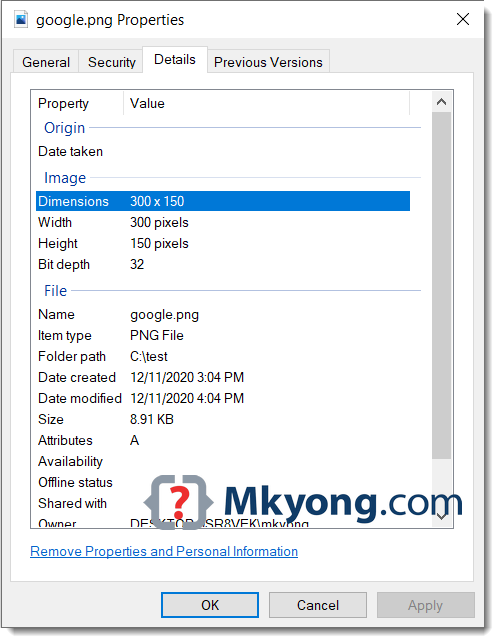
The downloaded image is resized to 300×150.
Download Source Code
$ git clone https://github.com/mkyong/core-java
$ cd java-io/howto/images

Image size will be reduced after saved,bcoz of using imageio.write,so is there any solution to save image
Nice tutorial. It helped me a lot.
Hi,
How do you incorporate scribling of text onto an image in java…..
is there any other alternative without using ImageIO.write