In Java, we can use the javax.imageio.ImageIO class to read and write an image.
1. Read an image
Read an image from a file.
BufferedImage image = ImageIO.read(new File("c:\\test\\image.png"));
Read an image from an URL.
BufferedImage image = ImageIO.read(new URL("https://example.com/image.png"));
2. Write or save an image
Write or save an image in different image formats.
  ImageIO.write(bufferedImage , "jpg", new File("c:\\test\\image.jpg"));

  ImageIO.write(bufferedImage , "gif", new File("c:\\test\\image.gif"));

  ImageIO.write(bufferedImage , "png", new File("c:\\test\\image.png"));
Below code snippet list out all the supported formats.
  String writerNames[] = ImageIO.getWriterFormatNames();
  Arrays.stream(writerNames).forEach(System.out::println);
Output
PG
jpg
tiff
bmp
BMP
gif
GIF
WBMP
png
PNG
JPEG
tif
TIF
TIFF
wbmp
jpeg
3. Read, resize and save an image.
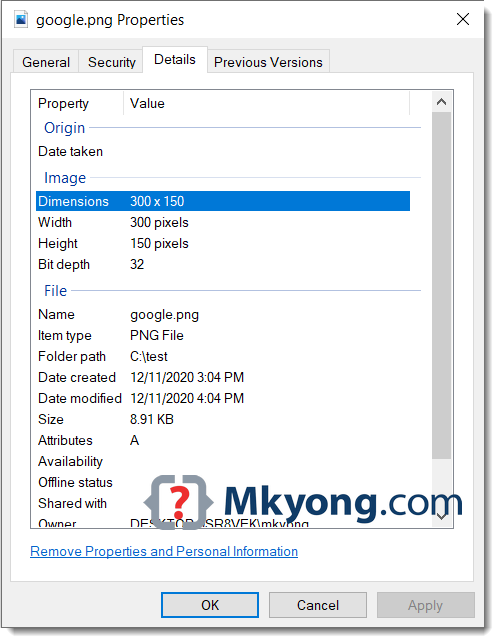
A full Java example of using ImageIO to read an image from an URL (Google logo), resize it to 300x150 and save it into a file.
ReadWriteImage.java
package com.mkyong.io.image;

import javax.imageio.ImageIO;
import java.awt.*;
import java.awt.image.BufferedImage;
import java.io.File;
import java.io.IOException;
import java.net.MalformedURLException;
import java.net.URL;

public class ReadWriteImage {

    // Google logo url
    private static final String GOOGLE_LOGO =
            "https://www.google.com/images/branding/googlelogo/2x/googlelogo_color_272x92dp.png";

    public static void main(String[] args) {

        try {

            URL url = new URL(GOOGLE_LOGO);

            // read an image from url
            BufferedImage image = ImageIO.read(url);

            // resize image to 300x150
            Image scaledImage = image.getScaledInstance(300, 150, Image.SCALE_DEFAULT);

            // save the resize image aka thumbnail
            ImageIO.write(
                    convertToBufferedImage(scaledImage),
                    "png",
                    new File("C:\\test\\google.png"));

        } catch (MalformedURLException e) {
            e.printStackTrace();
        } catch (IOException e) {
            e.printStackTrace();
        }
        System.out.println("Done");

    }

    // convert Image to BufferedImage
    public static BufferedImage convertToBufferedImage(Image img) {

        if (img instanceof BufferedImage) {
            return (BufferedImage) img;
        }

        // Create a buffered image with transparency
        BufferedImage bi = new BufferedImage(
                img.getWidth(null), img.getHeight(null),
                BufferedImage.TYPE_INT_ARGB);

        Graphics2D graphics2D = bi.createGraphics();
        graphics2D.drawImage(img, 0, 0, null);
        graphics2D.dispose();

        return bi;
    }

}
The downloaded image is resized to 300×150.
Download Source Code
$ git clone https://github.com/mkyong/core-java
$ cd java-io/howto/images

Image size will be reduced after saved,bcoz of using imageio.write,so is there any solution to save image
is there any other alternative without using ImageIO.write
Nice tutorial. It helped me a lot.
Hi,
How do you incorporate scribling of text onto an image in java…..