Here i share how i install postgresql in fedora core. I spent full day to find out a solution. Hope this help
1) First please get a PostgeSQL source code n compile it for installation or using yum command in fedora core.
a) Regarding PostgeSQL source code Compilation, please visit here
https://mkyong.com/database/how-to-compile-postgresql-database-source-code-in-linux/
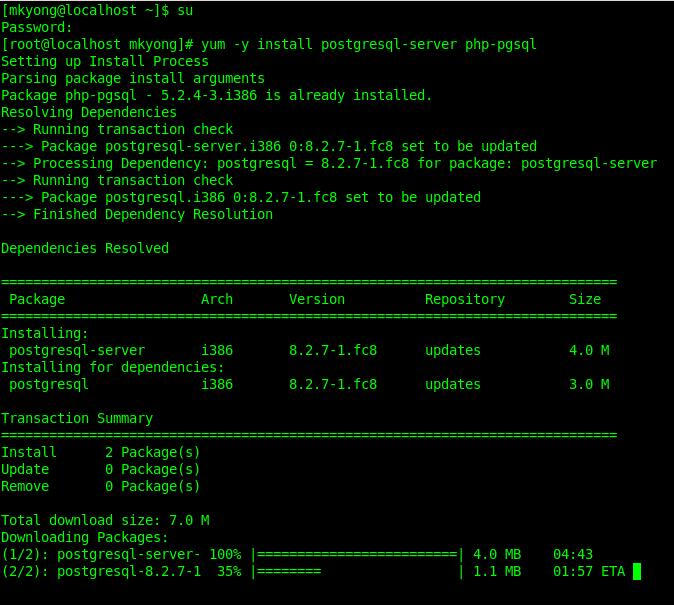
b) Regarding Yum command, change to root and issue following command, it will connect to internet and download postgresql core files.
yum -y install postgresql postgresql-server php-pgsql
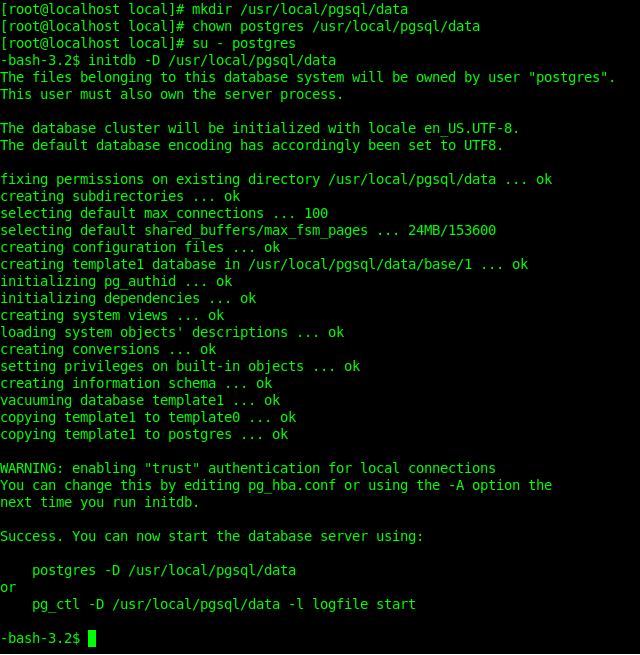
2) Create a database cluster with initdb -D /usr/local/pgsql/data command, before that please create a /usr/local/pgsql/data folder and assign ‘postgres’ user to own it. ‘postgres’ is the default user for postgresql.
mkdir /usr/local/pgsql/data
chown postgres /usr/local/pgsql/data
su - postgres
initdb -D /usr/local/pgsql/data
3) Start postgresql server
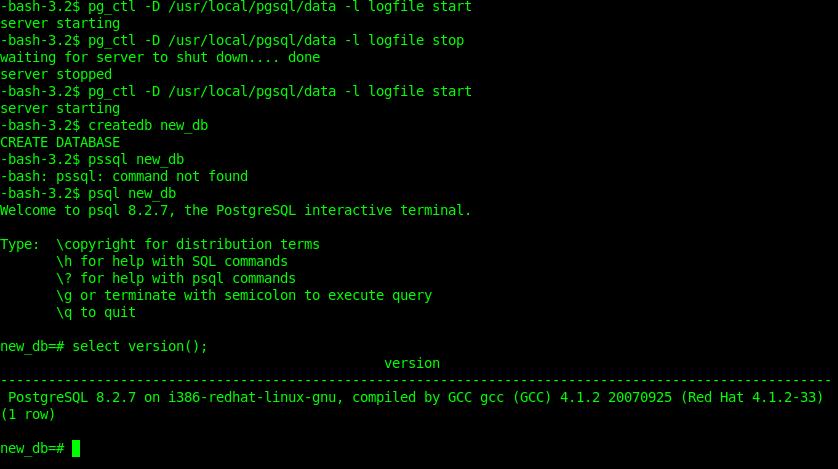
pg_ctl /usr/local/pgsql/data -l -logfile start
if you want stop postgres server , please issue following command.
pg_ctl /usr/local/pgsql/data -l -logfile stop
4)Create a database
createdb new_db
5)Access with psql
psql new_db
6) Issue a select version(); command, if it show postgresql version, it’s means you are successfully installed postgresql in fedora already.

su – postgres
is erroring, as postgres user is not created. what to do to solve the same?
You have to use “sudo su – postgres”
Your Spring tutorials have saved me at work, and now youve helped me with a personal project.
Many Many thanks
Your step #3 is missing the “-D” before the file path. It’s listed in your screenshot, but not your text.
Thanks for the write-up
Great article! Good job!
Very helpful. thanks.
Thanks a lot ….
THANXXXXXXXXXXXXXXXXXXXX
A LOTTTTTTTTTTTT…………………..
haha issit? i like naturo very much also. Sorry, what you means by “nnial 2007 – salvatore iaconesi – del.icio.us poetry”? I know this may have some others solution, may be you can share your thought here?
Hi there Expert, I fell lucky that I located this post while browsing for naruto shippuden music download. I am with you on the topic of nnial 2007 – salvatore iaconesi – del.icio.us poetry. Ironically, I was just putting a lot of thought into this last Thursday.