Problem
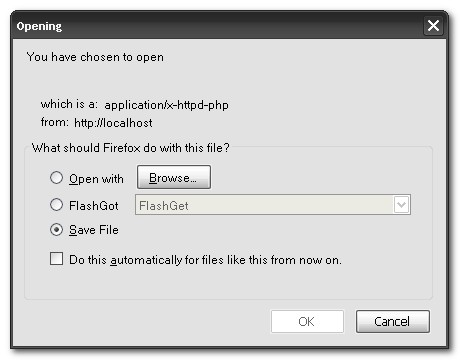
While accessing the PHP file, it display as “application/x-httpd-php” downloading instead of interpreted properly by Apache. See figure below :
Solution
The PHP downloading issue is caused by the Apache didn’t load the PHP module properly.
1. Find and edit Apache configuration file, which should be able to find at $APACHE_PATH/conf/httpd.conf.
2. Make sure following lines are existed in httpd.conf, and point to correct PHP module location, of course 🙂
#BEGIN PHP INSTALLER EDITS - REMOVE ONLY ON UNINSTALL
PHPIniDir "C:/PHP/"
LoadModule php5_module "C:/PHP/php5apache2_2.dll"
#END PHP INSTALLER EDITS - REMOVE ONLY ON UNINSTALL
3. Restart it, Done.

Thanx, that’s exactly what I needed!