
This article shows you how to install and integrate Nginx and PHP on Windows.
Tested
- Nginx 1.12.1
- PHP 7.1.10
- Windows 10
1. Install Nginx + PHP
Basically, just download zip file and extracts it, no installation.
To install Nginx
- Visit http://nginx.org/en/download.html
- Download
nginx/Windows-1.12.2 - Extract to
C:\nginx-1.12.1
To Install PHP
- Visit http://windows.php.net/download/
- Download PHP7.1 download VC14 x64 Non Thread Safe
- Extract to
C:\php7.1.10
Note
This PHP VC14 builds require to have the Visual C++ Redistributable for Visual Studio 2015 installed
This PHP VC14 builds require to have the Visual C++ Redistributable for Visual Studio 2015 installed
2. Integrate Nginx + PHP
Nginx communicates with PHP via php-cgi.exe
2.1 Start PHP at 127.0.0.1:9999
Terminal
c:\php7.1.10>php-cgi.exe -b 127.0.0.1:9999
2.2 Edit Nginx conf file.
C:\nginx-1.12.1\conf\nginx.conf
http {
    include       mime.types;
    default_type  application/octet-stream;

    server {
        listen       80;
        server_name  localhost;

		# Declares here, so that $document_root is able to find php files
		root www;

        location / {
            index  index.html index.htm;
        }

		# For PHP files, pass to 127.0.0.1:9999
		location ~ \.php$ {
			fastcgi_pass   127.0.0.1:9999;
			fastcgi_index  index.php;
			fastcgi_param  SCRIPT_FILENAME  $document_root$fastcgi_script_name;
			include        fastcgi_params;
		}

    }

}
2.3 Create a C:\nginx-1.12.1\www folder.
2.4 Create a simple PHP file and put it into the www folder.
C:\nginx-1.12.1\www\print.php
<?php
	phpinfo();
?>
2.5 Start Nginx
Terminal
C:\nginx-1.12.1> start nginx
3. Demo
http://localhost/print.php
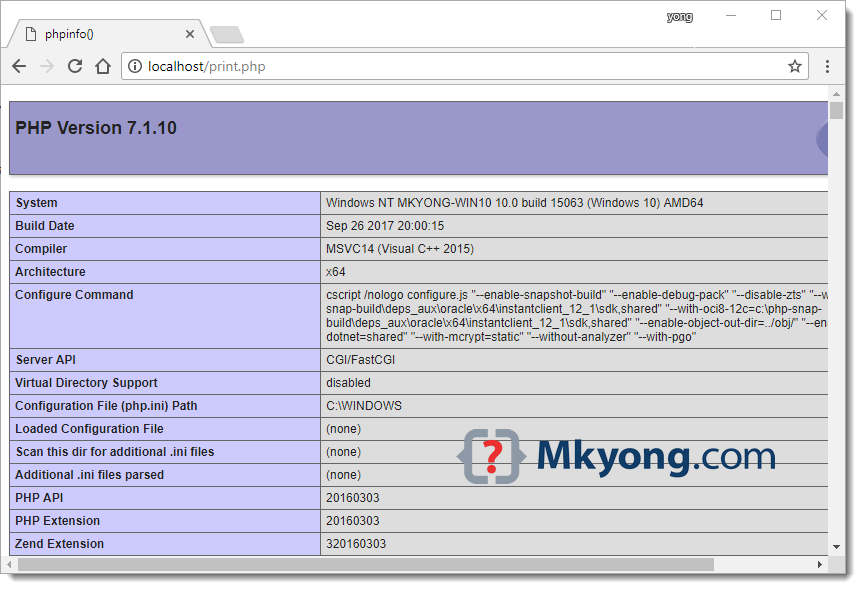
Done.

Thanks this worked well for me
Great solution.
Working. So much faster then Apache o. Windows.
thx sir
not working do not try it.
It did well !!
But my little Q is how to stop php service???
Merci pour votre aide.
This will serve the print.php but not index.php for an application.
To serve your app the first location block needs to be
location / {
try_files $uri $uri/ /index.php;
}
In step 2.2 what does this mean? “fastcgi_param SCRIPT_FILENAME $document_root$fastcgi_script_name;” is the first SCRIPT_FILENAME a variable?
Thanks,
nginx is running, but not serving. why???
Thanks, its works very well!
how can i install nginx with php-fpm please?
Thanks a lot! It really helped after a couple of hours of vain search.
not working, php page is not loading
nice tutorial.. thank you..
does CURL work for you?
This is nice and all, but php-cgi dies after some requests. Have you ever seen this issue?
xxfpm helps on this
Do you have the steps to install this on Windows with PHP?