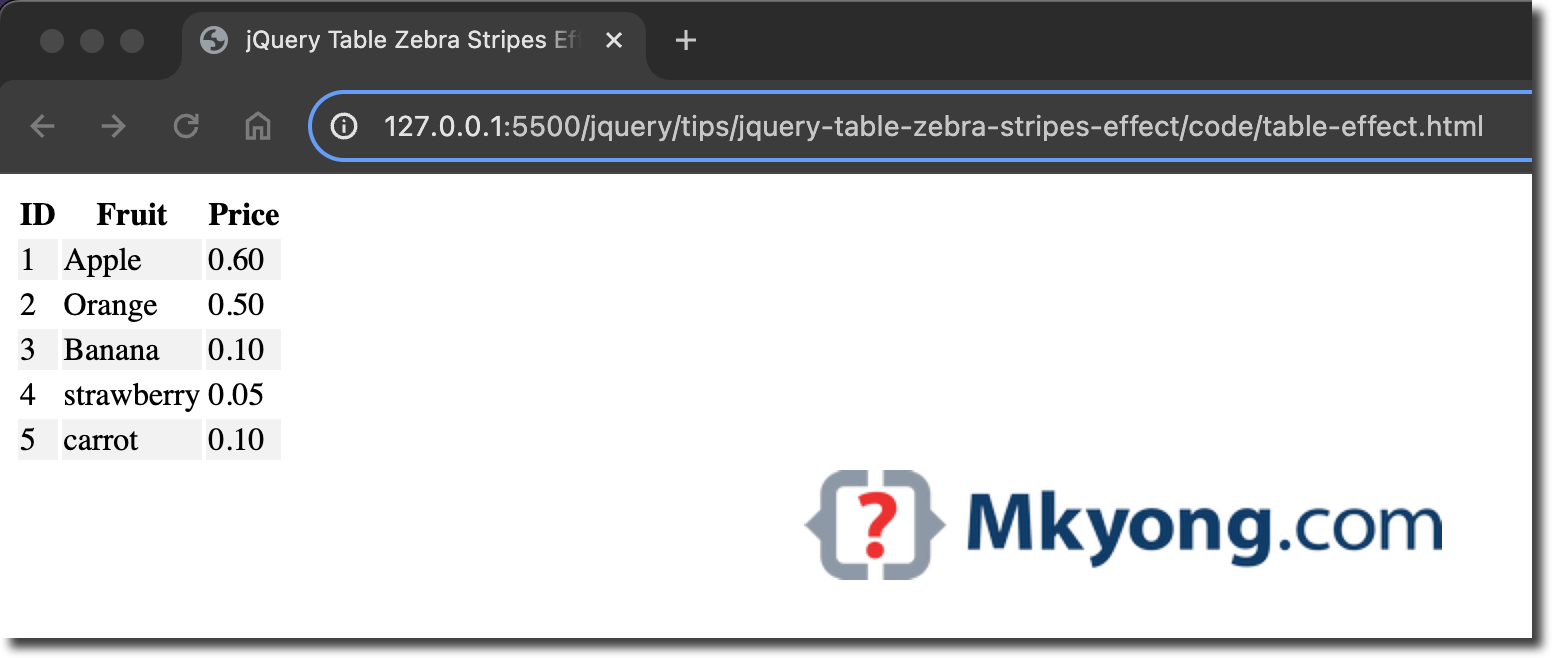
This article shows how to create a table with zebra stripes effect using jQuery.
Table of contents:
- 1. Include the jQuery script
- 2. CSS styling the zebra stripes
- 3. Table Structure
- 4. jQuery Script
- 5. Full example
- 6. References
P.S Tested with jQuery 3.7.1
1. Include the jQuery script
Include the jQuery script from the CDN.
<script src="https://cdnjs.cloudflare.com/ajax/libs/jquery/3.7.1/jquery.min.js"></script>
2. CSS styling the zebra stripes
Define the colors for the zebra stripes using CSS.
.odd {
  background-color: #f2f2f2; /* Light gray for odd rows */
}

.even {
  background-color: #ffffff; /* White for even rows (or use the table's default) */
}
3. Table Structure
Table Structure in HTML.
  <table id="abcTable">
    <tr>
      <th>ID</th>
      <th>Fruit</th>
      <th>Price</th>
    </tr>
    <tr>
      <td>1</td>
      <td>Apple</td>
      <td>0.60</td>
    </tr>
    <tr>
      <td>2</td>
      <td>Orange</td>
      <td>0.50</td>
    </tr>
    <!-- more rows -->
  </table>
4. jQuery Script
jQuery script to apply the zebra stripes effect. This script will select the table by its ID and then apply the odd and even classes to the odd and even rows, respectively:
<script>
$(document).ready(function(){
    $("#zebraTable tr:even").addClass("even");
    $("#zebraTable tr:odd").addClass("odd");
});
</script>
5. Full example
Below is a complete example of using jQuery to create a table with the zebra stripes effect.
example.html
<!DOCTYPE html>
<html lang="en">
<head>
<meta charset="UTF-8">
<meta name="viewport" content="width=device-width, initial-scale=1.0">
<title>jQuery Table Zebra Stripes Effect Example</title>
<script src="https://cdnjs.cloudflare.com/ajax/libs/jquery/3.7.1/jquery.min.js"></script>

<script type="text/javascript">
$(document).ready(function(){
    $("#fruitTable tr:even").addClass("even");
    $("#fruitTable tr:odd").addClass("odd");
});
</script>

<style type="text/css">
  .odd {
    background-color: #f2f2f2; /* Light gray for odd rows */
  }

  .even {
    background-color: #ffffff; /* White for even rows (or use the table's default) */
  }
</style>

</head>
<body>
    <table id="fruitTable">
      <tr>
        <th>ID</th>
        <th>Fruit</th>
        <th>Price</th>
      </tr>
      <tr>
        <td>1</td>
        <td>Apple</td>
        <td>0.60</td>
      </tr>
      <tr>
        <td>2</td>
        <td>Orange</td>
        <td>0.50</td>
      </tr>
      <tr>
        <td>3</td>
        <td>Banana</td>
        <td>0.10</td>
      </tr>
      <tr>
        <td>4</td>
        <td>strawberry</td>
        <td>0.05</td>
      </tr>
      <tr>
        <td>5</td>
        <td>carrot</td>
        <td>0.10</td>
      </tr>
    </table>
</body>
</html>
output