In Eclipse Galileo (3.5) or Ganymede (3.4) or older version, you can control the project packaging structure via the “Java EE Module Dependencies” option, so that the project dependencies are deployed to the correct folder.
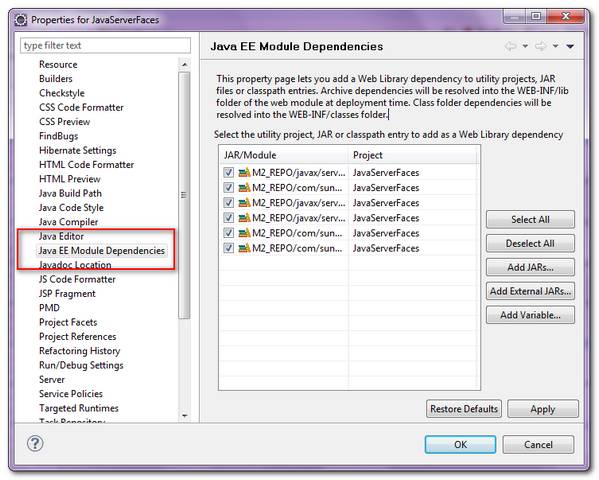
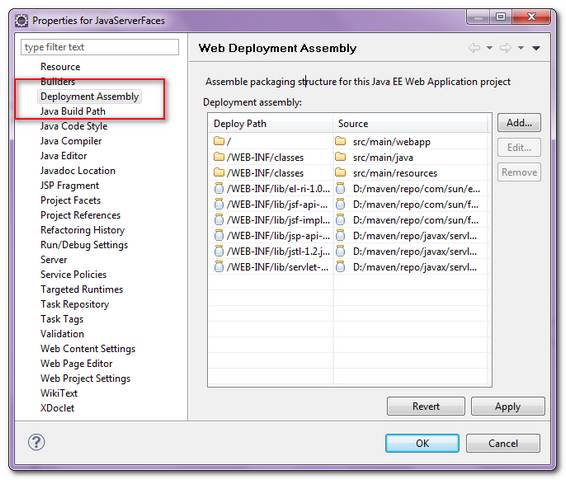
However, in the latest Eclipse Helios (3.6), the “Java EE Module Dependencies” is replaced by “Web Deployment Assembly“, which provide more powerful and flexible ways to configure the project packaging structure.
Note
See this Eclipse Web Tools Platform 3.2 announcement, just do not surprise when you can’t find the “Java EE Module Dependencies” option in your latest Eclipse IDE.
See this Eclipse Web Tools Platform 3.2 announcement, just do not surprise when you can’t find the “Java EE Module Dependencies” option in your latest Eclipse IDE.

Hi!
I have tried these options for several times, and have negative experience with that.
My workspace has two projects – one is dynamic web project, and second – just usual java project with some models (pojo). Then in dynamic project I add this second project, and it is shown that it is added, but then if close dialog and enter it again – this added line disappeared.
I have a problem in setting compile time classpath with my runtime clasaspath.
i have one java project – PrimeServices and a Dynamic web project as PrimeWeb, my service project need web app libraries so i added it to its classpath. While adding PrimeServices to PrimeWeb’s deployment assembler. it shouws me a circular dependency to PrimeServices as web app libraries is already part of services classpath.
any clue with this situation to to set the classpath ?
Many thanks,i was just wendering where the hell the Java EE Module Dependenciesg goes.
Could some one please illustrate how the new “Deployment Assembly” is better than the “JEE Module Dependencies”. Every website seems to say the new thing is better, but, I am having hard-time understanding or seeing this in action.
Previously, you could actually choose multiple files in one shot and add it to the module web dependencies, or select multiple in jee dependencies. Now it seems I need to do one at a time.
Looks like this is not well thought out to me.
Also, the major grouse I have with eclipse is when I try to import a project that was created in eclipse 3.3 or 3.4 and try to migrate it to 3.5 or 3.6 it does not do it right at all. I always invariably have compilation errors and so on after the import.
You can add all Maven dependencies in a single go by selecting “Maven Dependencies” instead of individual libraries.
Noticed that maven dependencies with scope marked as “provided” (ie. should not be deployed with war at runtime) are still getting added into the War file. Running with jboss runtime within eclipse. Is there a way to make selecting “maven dependencies” respect the maven scope?
Thanks! Just upgraded and was wondering where that went to 🙂