The Standard Widget Toolkit (SWT) is an open source project. However Eclipse SWT plugin does not bundle with SWT source code. We have to manually download it ~
Here is the steps to download the SWT Source Code
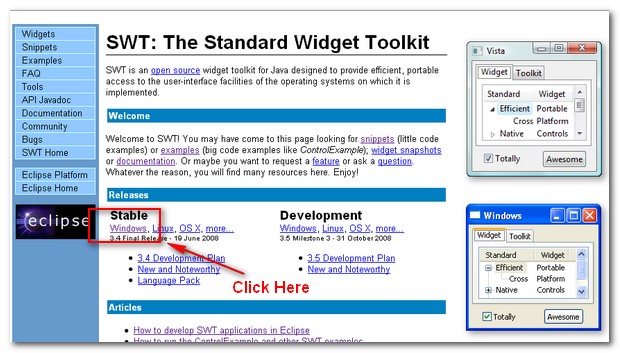
1) Visit the Standard Widget Toolkit (SWT) Official Website http://www.eclipse.org/swt/
2) Under Stable, select your operating system environment (Windows, Linux, MacOS…), Click to download
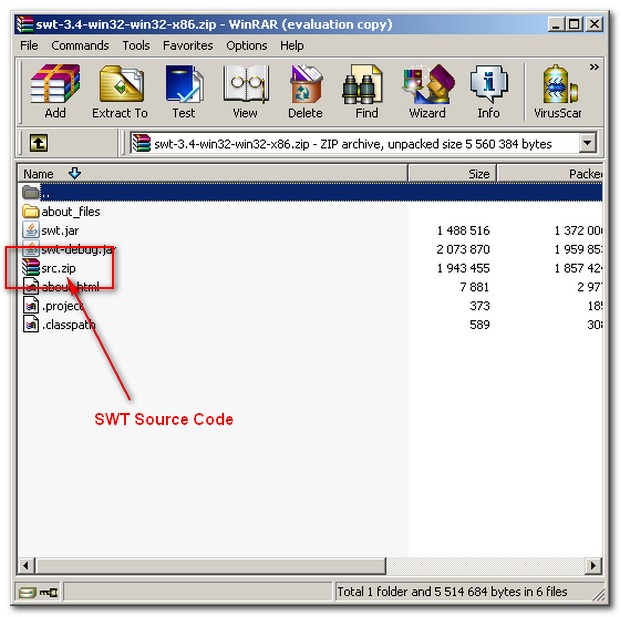
3) Open the downloaded SWT file. For Example swt-3.4-win32-win32-x86.zip
4) Extract the src.zip zip file.
P.S All SWT source code is included in src.zip file