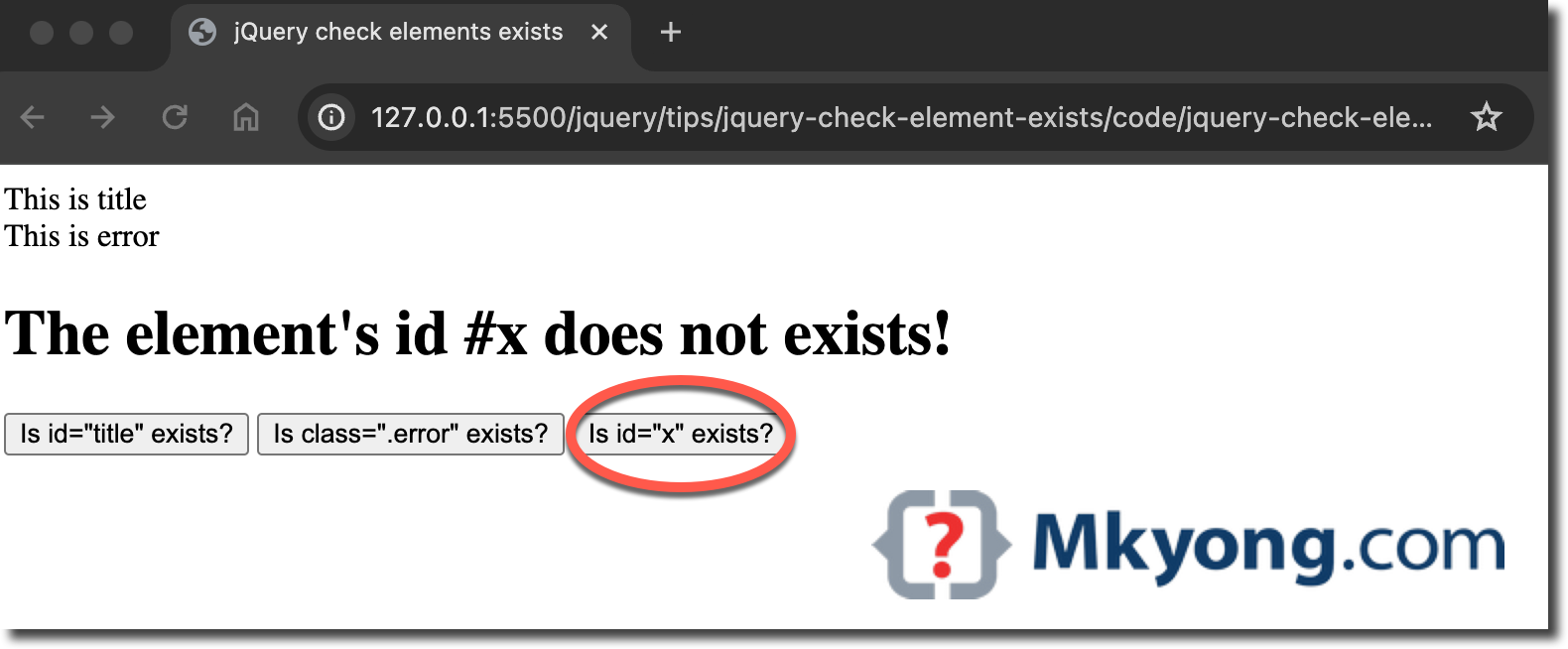
In jQuery, we can check if an element exists by using the jQuery selector to select it and .length() to check its length. If the length is greater than 0, it means the element exists.
if ($("#elementId").length) {
    // The element exists
} else {
    // The element does not exist
}
The above technique also applies to elements with class.
if ($(".elementClass").length) {
    // The element exists
} else {
    // The element does not exist
}
P.S Tested with jQuery 3.7.1
Check if element exists in jQuery
Review a complete HTML and jQuery example consisting of three buttons to check if elements exist using jQuery.
<!DOCTYPE html>
<html lang="en">
<head>
<meta charset="UTF-8">
<meta name="viewport" content="width=device-width, initial-scale=1.0">
<title>jQuery check elements exists</title>
<script src="https://cdnjs.cloudflare.com/ajax/libs/jquery/3.7.1/jquery.min.js"></script>

<script type="text/javascript">
$(document).ready(function(){

  $("#checkButtonID").click(function () {
    if($('#title').length){
      $(`#msg`).text("The element's id #title exists!");
    }else{
      $(`#msg`).text("The element's id #title does not exists!");
    }
  });

  $("#checkButtonClass").click(function () {
    if($('.error').length){
      $(`#msg`).text("The element's class .error exists!");
    }else{
      $(`#msg`).text("The element's class .error does not exists!");
    }
  });

  $("#checkButtonID2").click(function () {
    if($('#x').length){
      $(`#msg`).text("The element's id #x exists!");
    }else{
      $(`#msg`).text("The element's id #x does not exists!");
    }
  });

});
</script>

</head>
<body>

  <div id="title">This is title</div>
  <div class="error">This is error</div>

  <div id="msg"></div>

  <button id="checkButtonID">Is id="title" exists?</button>
  <button id="checkButtonClass">Is class=".error" exists?</button>
  <button id="checkButtonID2">Is id="x" exists?</button>

</body>
</html>
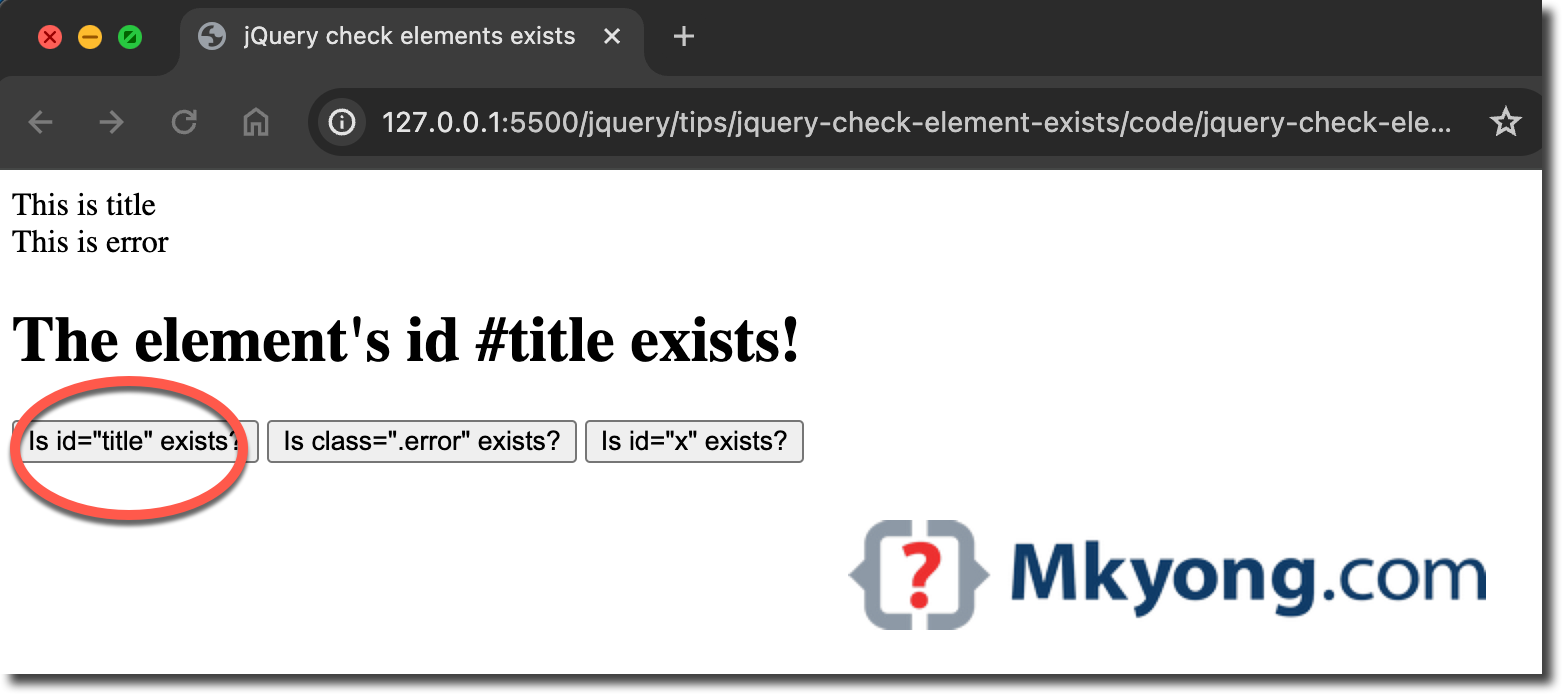
If we click the button’s id checkButtonID, we get The element's id #title exists!.
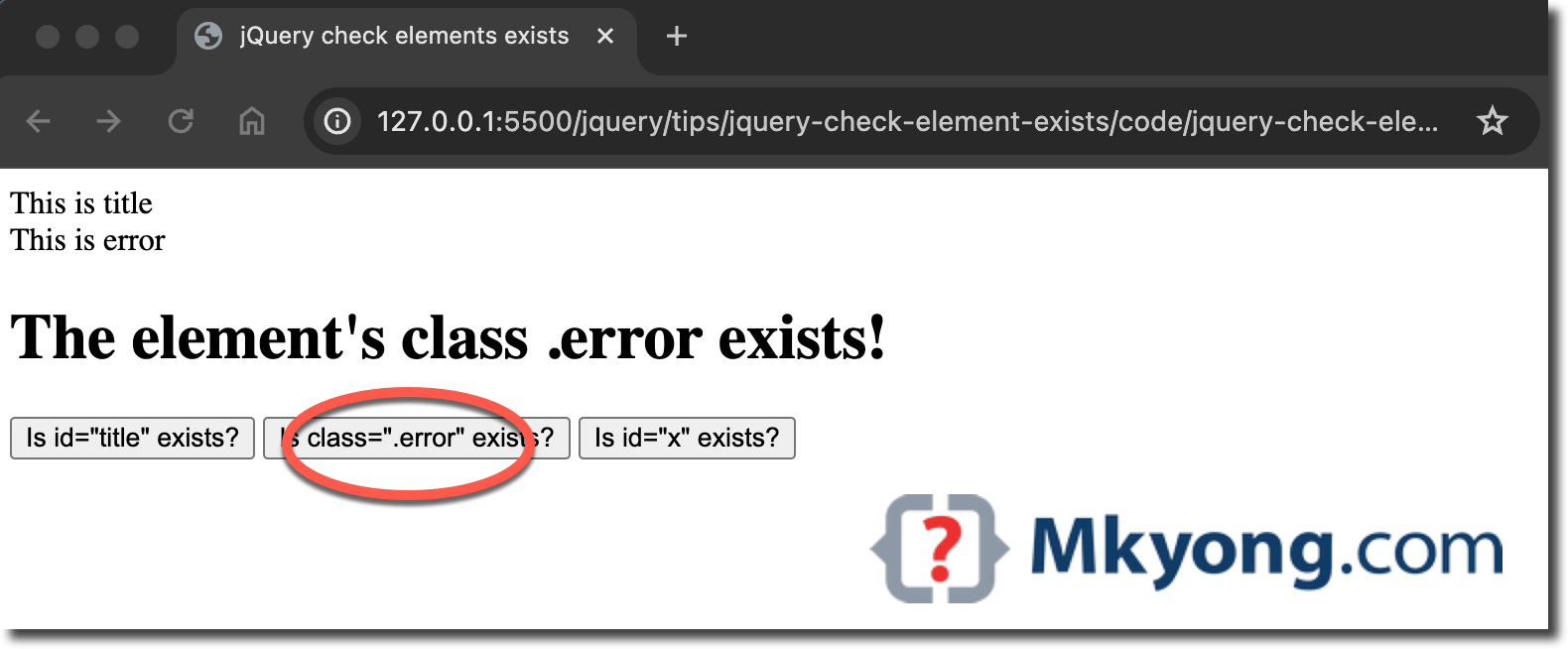
If we click the button’s id checkButtonClass, we get The element's class .error exists!.
If we click the button’s id checkButtonID2, we get The element's id #x does not exist!.